Baby monitor hacking: securing your camera with a few simple habits
A connected camera in a child’s room deserves the same precautions as a bank account. The risks of hacking are real, they vary a lot from one model to another, and a few simple habits are enough to reduce them sharply.
Contents
A real risk, but a manageable one
Connected cameras, baby monitors included, regularly make the news for intrusions: an outsider accesses the images, speaks through the speaker or changes the settings. These cases are rare compared with the number of devices in use, and they almost always have an identifiable cause: a weak or reused password, a device that has never been updated, a known flaw in a poorly secured model.
The good news is that most of these causes depend on settings you control. The French data protection authority (CNIL) points out, in its advice on connected devices, that you should change the default settings, use strong passwords and install updates. These three steps cover most of the risk.
What Test-Achats found
In December 2022, the Belgian consumer association Test-Achats published an analysis of the security of ten connected video baby monitors. Its experts found 55 security flaws in total, 9 of them judged critical. Results varied widely from one device to another: models from big brands, including the Philips Avent SCD923/26, were among the best rated, while lesser-known models piled up flaws.
The SCD923/26 is not the SCD951/26 we review, and an analysis from 2022 says nothing about updates made since. Above all, this test shows that security is not uniform, and that the choice of model matters as much as the settings. Test-Achats drew practical advice from it, which we repeat below: a strong password, updates, no public Wi-Fi.
How a baby monitor can be hacked
Without going into technical detail, intrusions use a few classic entry points. The first is the account: a weak password, already used elsewhere and leaked in a data breach, lets someone log into the app as if they were you. The second is the device itself: a known flaw in software that has never been updated. The third is the network: a poorly protected router, public Wi-Fi, a compromised phone.
Each of these entry points can be closed with a simple step. None requires any particular skill.
Choosing a less exposed model
A baby monitor that is never connected to the internet is much less exposed: a model with a direct link between the camera and the screen does not go through a server. A hybrid model like the SCD951/26 works over a direct link as long as you do not activate the app. If you do not need to watch your baby remotely, this is a simple way to reduce the risk.
If you want an app, choose a brand that publishes updates, has a customer service you can reach and documents its security policy. Be wary of very cheap cameras of unknown origin, with no updates or support. Our article Wi-Fi or non-Wi-Fi baby monitor compares these options.
The password
Test-Achats advises setting a strong password from the first use, of at least 10 to 12 characters, mixing upper and lower case letters, numbers and special characters. It must be unique: never use the password from your email or another account for your baby monitor. If one service is hacked one day, your other accounts stay protected.
The simplest option is a password manager, which creates and remembers long passwords for you. A passphrase made of several unrelated words is also a good solution. If the app offers two-factor authentication, turn it on. And if the camera has a factory password, change it immediately.
Updates
Updates fix flaws discovered after the product is released. A baby monitor that is never updated remains vulnerable to flaws known to everyone. Turn on automatic updates for the app on your phone, and check regularly in the app whether an update for the baby monitor is available.
The CNIL and Test-Achats both insist on this point. It is the most effective step after the password, and it only takes a few seconds from time to time.
Securing your router and Wi-Fi
The camera goes through your router to connect to the internet. Change the router’s admin password if it is still the factory one, use WPA2 or WPA3 encryption for the Wi-Fi with a long key, and keep the router up to date: most providers update it automatically. If your router offers a guest network, keep it for visitors rather than sharing your main Wi-Fi.
Avoid opening ports or changing advanced network settings on the advice of a forum: a recent baby monitor does not need it.
Avoiding public Wi-Fi
Test-Achats advises against using a baby monitor app on public Wi-Fi, which is often poorly secured, and recommends using your phone’s 4G instead. In a café, a station, a hotel or a shopping centre, switch off your phone’s Wi-Fi before opening the app. The stream will go through your mobile plan, which is safer.
Controlling shared access
Every person with access to the camera is one more door. Share access only with people who need it, through the app’s invitation feature, without ever giving out your own password. Review it regularly: a former childminder, a relative who looked after your baby during the holidays, an old phone no longer need access.
Philips states on its support page that deleting the administrator account disconnects all guest users from the baby monitor. Our article on watching your baby remotely with the app covers sharing in detail.
Protecting your phone
The phone with the app installed gives access to the camera. Lock it with a code or fingerprint, keep its system up to date, and install the app only from the official store. If you change phones, log the app out on the old one and remove its access in the account settings. If a phone is lost or stolen, change the baby monitor account password immediately.
Selling, giving away, resetting
When you no longer use the baby monitor, or if you sell it, do a full clean-up: remove all shared access, delete the device from your account, then reset it to factory settings by following the instructions. If you will not use it again at all, delete your account too. The new user can start from scratch, and you will no longer have any link with the camera.
Conversely, if you buy or receive a second-hand baby monitor, reset it before using it, create your own account, and check that no old access remains.
Warning signs
- An unfamiliar voice or sound comes from the camera’s speaker.
- The camera changes direction or settings without you doing anything.
- An unknown user appears in the list of shared access.
- You receive a login notification from a device you do not recognise.
- Your settings, password or email address have been changed.
The SCD951/26 is aimed by hand: a camera that “moves” on its own does not apply to this model, but other motorised cameras are concerned.
What to do if in doubt
- Unplug the camera to stop the transmission immediately.
- Change the password of the baby monitor account, from a safe device.
- Remove all shared access and log out unknown devices.
- Change the passwords of your router and any other accounts that shared the same password.
- Update the camera and the app.
- Contact the manufacturer’s customer service.
- Report the incident: in France, the public platform cybermalveillance.gouv.fr supports individuals affected by cybercrime; in the UK, incidents can be reported to Action Fraud.
In the meantime, the dedicated screen over the direct link, with the app deactivated, remains usable on a hybrid model.
A five-minute monthly security routine
The security of a connected device is not set once and for all. A short monthly routine is enough to maintain it, and it takes less time than a feed.
- Open the app and check whether a baby monitor update is offered.
- Look at the list of shared access and remove any that are no longer needed.
- Check the devices connected to your account, if the app shows them.
- Check that the email address linked to the account is still yours.
- Glance at your router: normal lights, no unknown device in the list of connected devices if your provider shows one.
If everything is in order, there is nothing else to do. If something surprises you, follow the procedure described above.
Privacy: beyond hacking
Protecting your family’s images is not just about intrusions. Avoid posting screenshots or videos from the camera on social media, which show your child’s room, its layout and sometimes details that could identify your home. Read the app’s privacy policy to find out what data is collected, and adjust your phone’s permissions: the app needs the network and notifications, not necessarily your location or your contacts.
The CNIL points out that everyone has rights over their personal data, including the right of access and the right to erasure, which can be exercised with the manufacturer. If you stop using the baby monitor, asking for your account to be deleted is part of that.
One last point: if you receive an email or text message claiming to come from the manufacturer and asking for your password, do not click. Open the app or the official website directly. Phishing attempts also target connected device accounts, and they rely on people acting in a hurry.
If you are in doubt about a message, contact customer service using the details given on the official website or in the instructions, never those in a message you received.
The rest of your connected home
A baby monitor shares your home network with many other devices: computers, phones, smart TV, speakers, plugs, games consoles. A poorly protected device on the same network can, in some cases, make it easier for an intruder to reach the others. The security of the baby monitor therefore also depends on the overall hygiene of your connected home.
A few simple principles help. Do not keep connected devices you no longer use plugged in. Apply updates to all of them, not just the baby monitor. Change factory passwords on every device that has one. If your router allows it, put visitors and less trusted devices on the guest network, so that they stay separate from the devices you use every day. None of this is complicated, and it protects the whole family, not just the nursery.
As your child grows
A three or four-year-old quickly understands that a camera is watching them, and that a voice can come out of the speaker. Explain simply what the baby monitor is for, and who can watch. It is also a good time to ask whether the camera is still useful, or whether audio mode is enough. The less the device is used, the less exposed it is.
What does not really protect you
Some habits reassure without protecting. Covering the lens with a sticker when you are not using it stops the picture being seen, but not the sound being heard, and people often forget to remove it. Renaming the camera in the app changes nothing about its security. Unplugging the camera during the day is effective, but only if you plug it back in properly in the evening and check the link. The most effective approach remains the basic trio: password, updates, controlled access.
On the other hand, there is no need to install paid security software on the router or buy a special box: for family use, standard settings done properly are more than enough.
The case of the SCD951/26
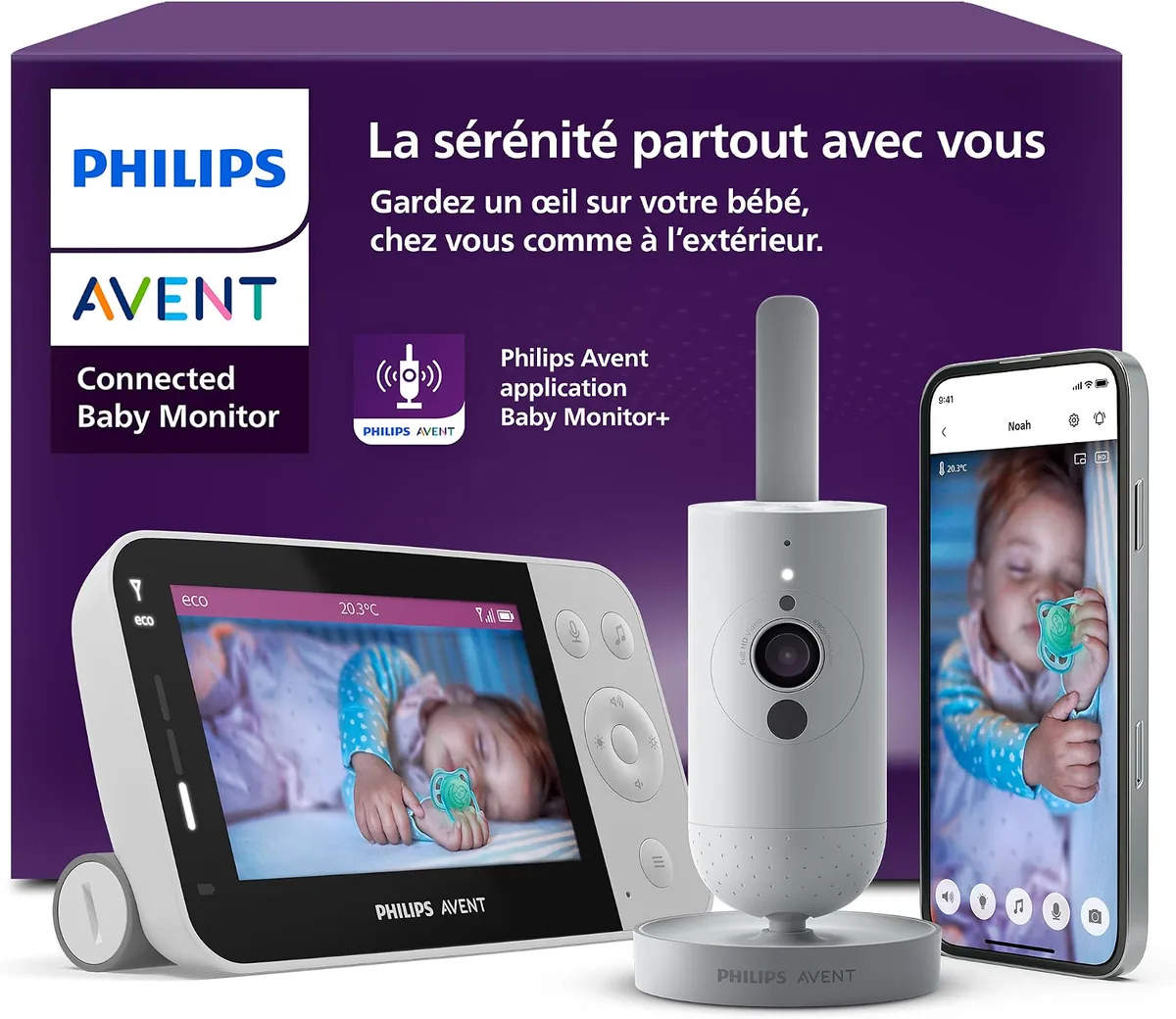
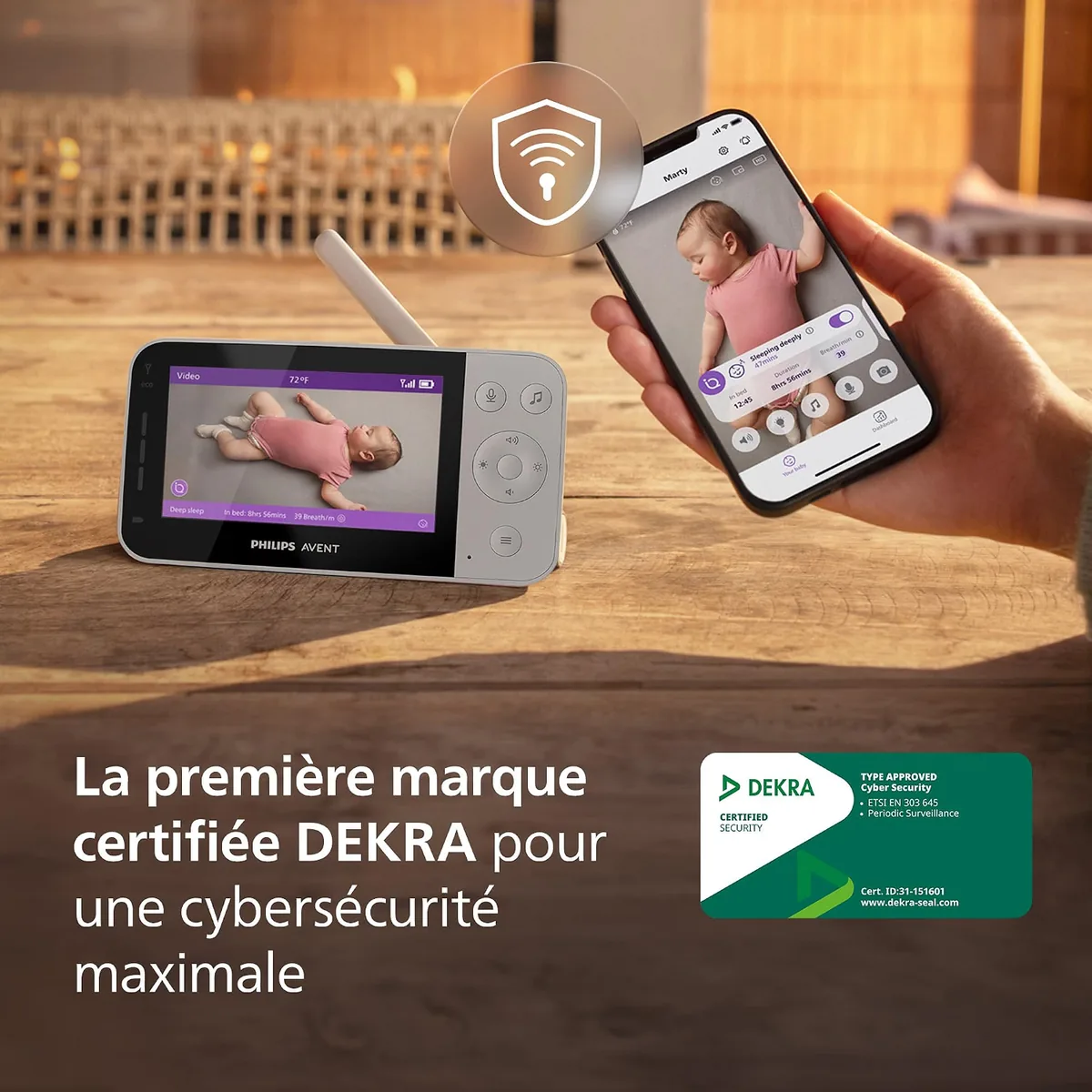
Philips presents the Secure Connect system of the SCD951/26 as several encrypted links between the camera, the parent unit and the app. Its support page states that audio and video from its connected baby monitors are not stored on its servers. The brand’s visuals mention a security check by the DEKRA organisation. We have not been able to verify these technical points ourselves, and no connected device is invulnerable.
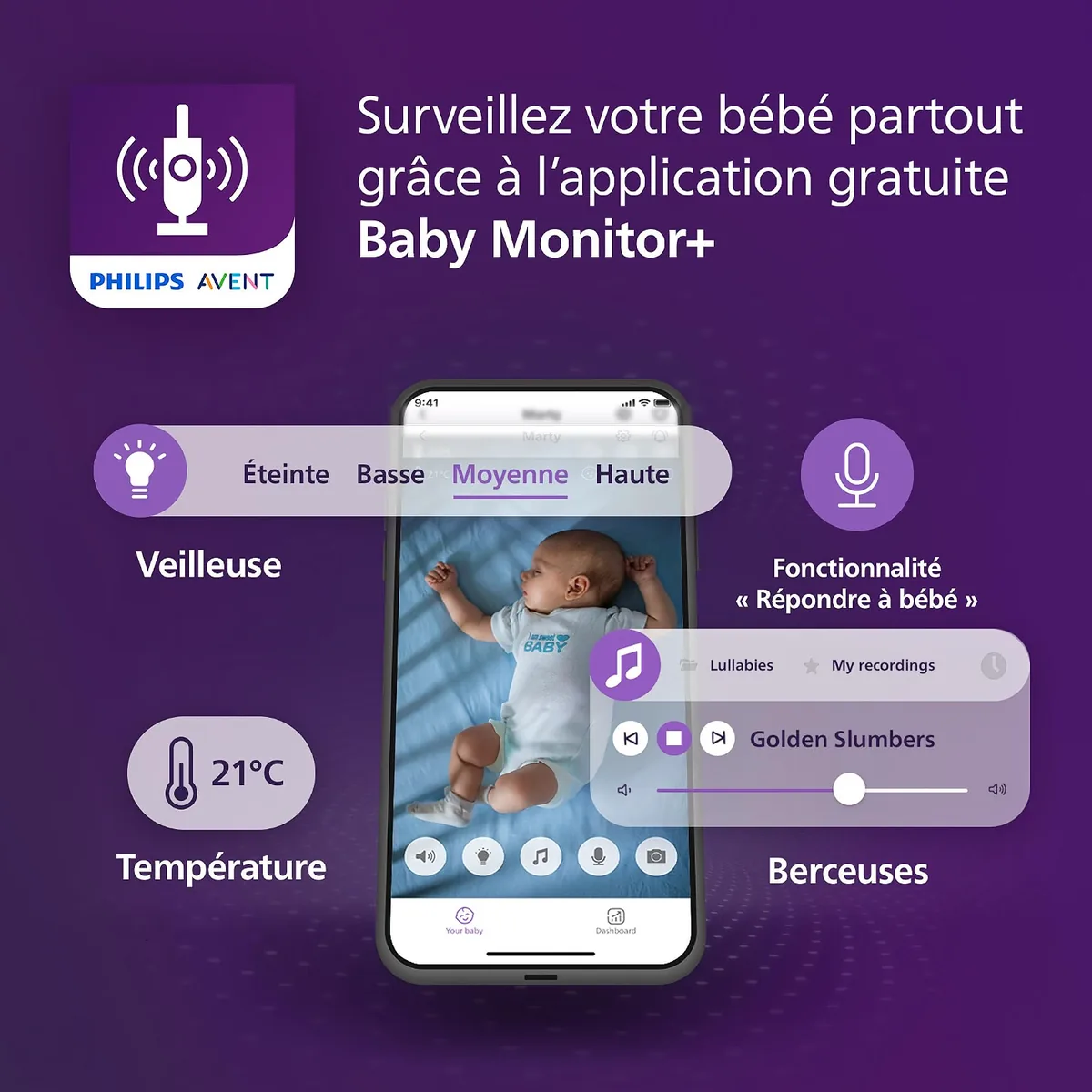
Its main security advantage lies elsewhere: the app is optional. Without it, the baby unit and the parent unit communicate over a direct link. If you activate it, the habits on this page apply. Our full review and our guide to baby monitor safety complete this picture.
Frequently asked questions
Can a non-Wi-Fi baby monitor be hacked?
The risk is much lower, because it does not go through the internet. The direct link remains a radio signal, protected by the encryption the manufacturer provides.
Which password should you choose?
At least 10 to 12 characters, unique, mixing upper and lower case letters, numbers and symbols, or a long passphrase.
Should you switch off the app when not using it?
If you do not need remote viewing, keeping the baby monitor on the direct link reduces exposure.
Does Philips store videos of your baby?
According to its support page, audio and video from its connected baby monitors are not stored on its servers.
An eye on your baby, anywhere.
Full HD camera · Night vision · With or without Wi-Fi · Talk back · 12 h in Eco mode. The price changes often on Amazon: check it, along with the seller, the exact model number (SCD951/26) and what is in the box, before you order.
Check the price on AmazonAffiliate link · new tab