Watching your baby remotely with the baby monitor app
At the office, at friends’ or at the far end of the garden, a baby monitor app lets you keep an eye on your baby. It needs a few precautions to stay reliable and protect your family’s privacy. Here is how to make the most of it.
Contents
What the app is for
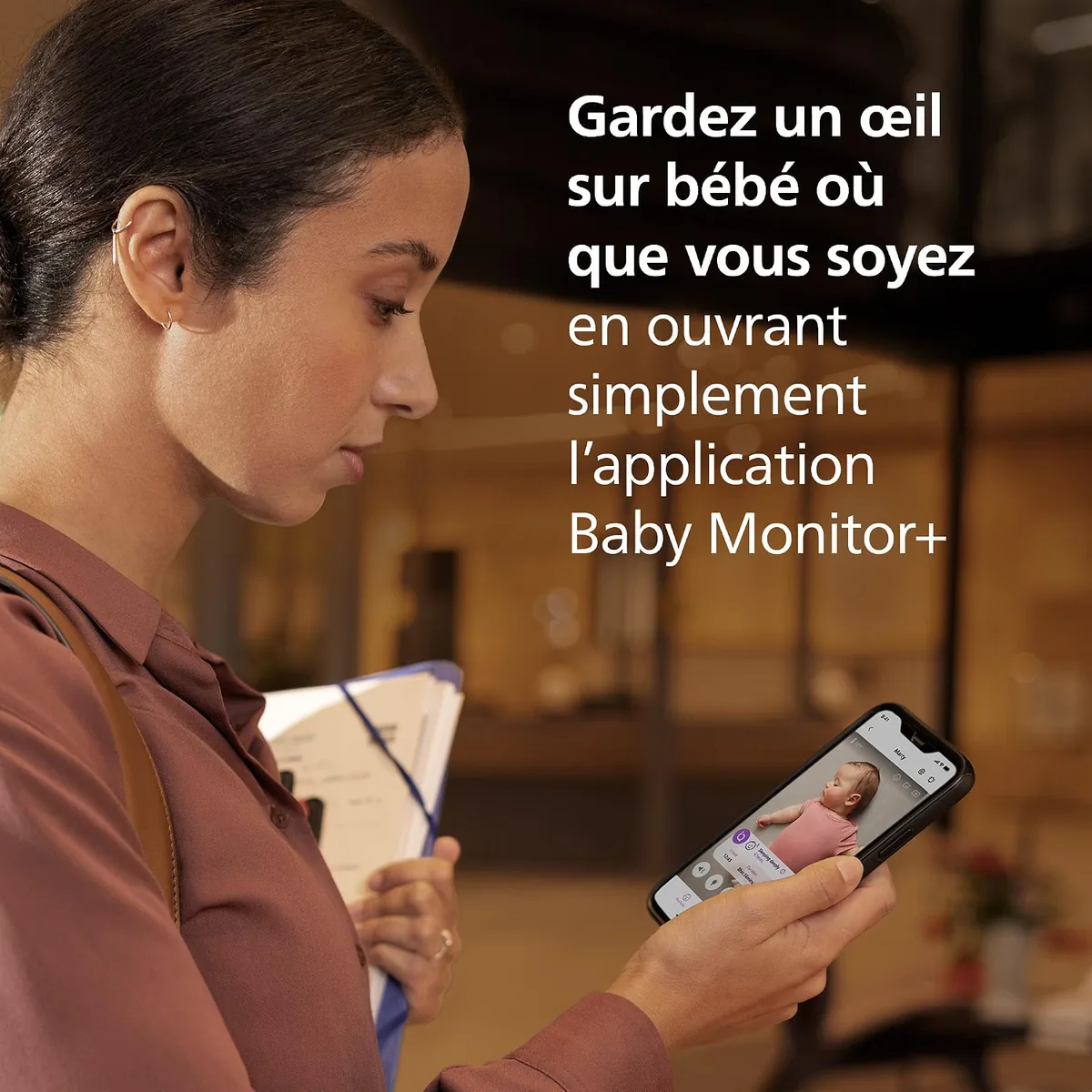
A baby monitor app shows the camera’s picture and sound on your phone or tablet. At home, it can replace or complement the dedicated screen. Away from home, it lets you watch your baby over the internet: at the office while they are looked after by a grandparent, at the neighbours’ in the evening, out shopping while the other parent looks after them, or at the far end of a garden out of range of the direct link.
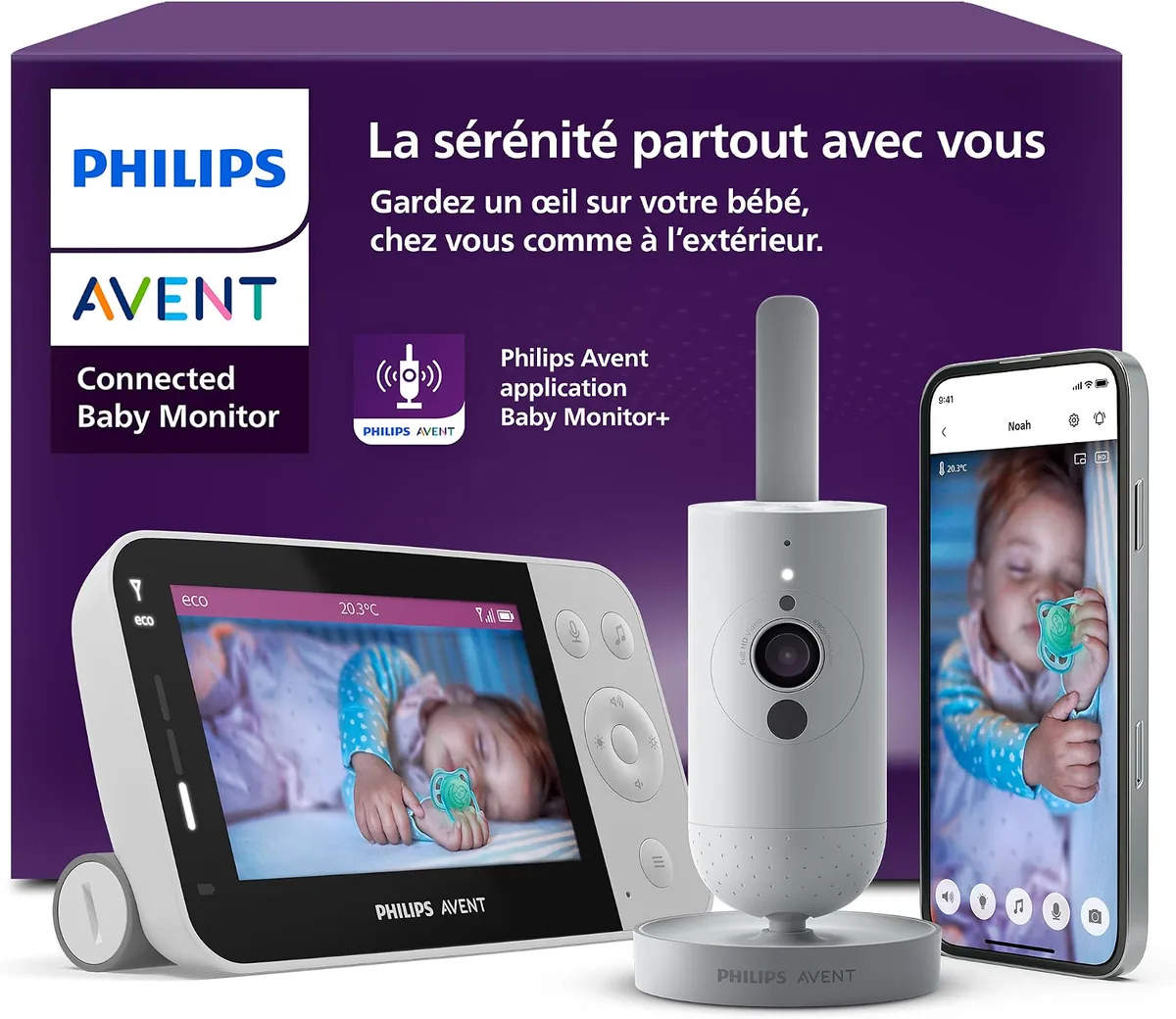
With a hybrid model like the Philips Avent SCD951/26, the app is optional: the baby monitor works fully with its dedicated screen, and the app is added when you need it. With a Wi-Fi-only camera, the app is the only screen. Our article Wi-Fi or non-Wi-Fi baby monitor compares these two approaches.
Before activating the app
Ask yourself a simple question: will you really use it? If you are always at home while your baby sleeps and the dedicated screen is enough, the app adds little, and it adds an account to protect. If you are going back to work while your baby is looked after at home, or if your home has poorly covered areas, it becomes useful.
Also check that your phone is compatible. Philips states that Baby Monitor+ works with iOS 11 and Android 6 and later versions. A phone that is too old, and no longer receives security updates, is not the best choice for watching your child’s room.
Step-by-step set-up
- Download the official app from your phone’s app store, checking the publisher.
- Create your account with an email address you check, and a long, unique password.
- Connect the camera to your Wi-Fi by following the instructions in the app and the manual.
- Check the picture and sound in the app, at home, over Wi-Fi.
- Switch off your phone’s Wi-Fi and check that the picture comes through over mobile data.
- Turn on updates for the app and the baby monitor.
- Set up notifications and test them with the phone locked.
Take the time to do this set-up on a quiet day, not the night before you go back to work.
Account and password
The app account is the front door to the nursery camera. The Belgian consumer association Test-Achats advises setting a strong password from the very first use, of at least 10 to 12 characters, mixing upper and lower case letters, numbers and symbols. The French data protection authority (CNIL) recommends, for any connected device, protecting access to the account with a strong password that is different from your other accounts.
Use a password manager if you have one. If the app offers two-factor authentication, turn it on. Never share your own password: to give someone else access, use the app’s invitation feature if it has one. Our guide to baby monitor hacking details these habits.
Wi-Fi or mobile data
At home, the app uses your Wi-Fi. Outside, it uses your phone’s mobile data or the Wi-Fi of wherever you are. Test-Achats advises against using a baby monitor app on public Wi-Fi, which is often poorly secured, and recommends using your phone’s 4G instead. It is simple to apply: in a café, a station, a hotel or a shopping centre, switch off Wi-Fi before opening the app.
The video stream uses mobile data. For a look of a few minutes, usage remains modest; for prolonged listening, keep an eye on your plan, and choose audio mode if the app offers it.
Background listening
Some apps keep transmitting sound when the phone is locked or when you are using another app. Philips says Baby Monitor+ offers this background listening. It is handy for keeping an ear on a nap while you reply to messages or follow directions.
Check that your phone’s power-saving settings do not close the app in the background: many phones automatically close apps that run for a long time. Do a test: start listening, lock the phone, make a noise near the camera and check that you hear it.
Notifications
App notifications warn you of a sound, movement, abnormal temperature or lost connection, depending on the model. They depend on the phone, the network and your settings: “do not disturb” mode, night mode and battery saving can delay or block them. That is an important difference from a dedicated screen, which sounds directly.
Allow the app’s notifications, add it to the “do not disturb” exceptions if you rely on it, and test them regularly. Do not rely on a phone notification for night-time monitoring.
Sharing access with the childminder or grandparents
When your baby is looked after by someone else, two situations arise. If the person looks after your baby in your home, they can use the dedicated screen: show them how it works, where the camera is and the one-metre rule around the cot. If a relative also wants to watch your baby remotely, use the app’s sharing or invitation feature rather than giving them your password.
Keep track of who has access, and remove access that is no longer needed: a former childminder, a relative who looked after your baby during the holidays. Philips states on its support page that deleting the administrator account also disconnects all guest users from the baby monitor. The CNIL stresses the importance of regularly checking the settings of connected devices.
Cameras and trust
Filming the nursery while someone else looks after your baby touches on trust. Talk about it openly beforehand: say that there is a camera, when you will look and why. A nanny or a grandparent who feels constantly watched will find it hard, and the quality of care will not benefit.
In France, the CNIL points out that an employer, including a private individual employing someone at home, must inform that person of the presence of a camera and cannot film them constantly at work; check the rules that apply in your own country. The baby monitor is there to see your baby sleep, not to keep tabs on the person looking after them: point the camera at the cot, and use it during naps.
Your phone’s battery and data
A continuous video stream drains your phone’s battery and makes it warm. For a nap in the garden or an evening at the neighbours’, have a charged phone, or even a power bank. Prefer regular glances to a video stream left open constantly, or use audio mode.
As for data, a limited plan can run out quickly if you watch video for a long time. Check your usage after a few days to adjust your habits.
Remote functions
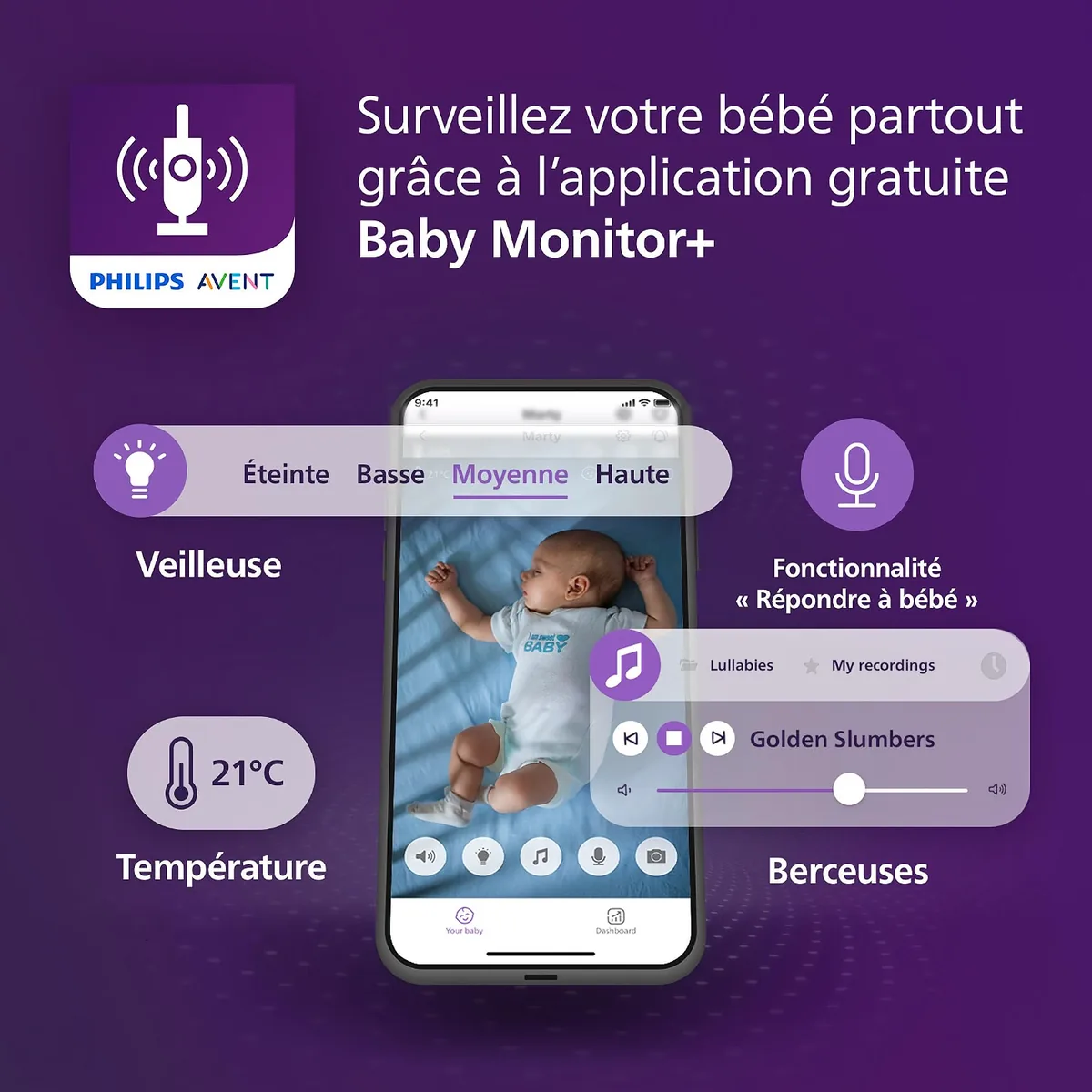
Depending on the model, the app lets you do much more than watch. Philips says Baby Monitor+ lets you talk to your baby, play lullabies and soothing sounds, switch on the night light, check the temperature and record personalised sounds, such as your own voice singing a nursery rhyme. These functions are useful when you are in another room or in the garden.
Use them sparingly when someone else is looking after your baby: playing a lullaby or speaking into the room remotely can surprise the person looking after your child and disrupt their bedtime routine. Agree on it in advance.
Two parents, two phones
When both parents install the app, a few practical questions arise. Who receives the notifications at night? If both phones ring, both parents wake up; if neither is set up properly, nobody does. Agree on a simple rule: at night, the dedicated screen on the bedside table is the reference, and the phones stay silent or out of the bedroom. During the day, whoever is away can keep the app for an occasional glance.
Check that each parent has their own access, rather than sharing a single login, so that you can manage or remove access separately. Agree too on the remote functions: one parent speaking into the room from the office while the other is getting the baby to sleep is confusing for everyone, starting with the baby. These rules seem obvious; writing them down in a few lines avoids misunderstandings in the tiring early months.
The limits of remote monitoring
Seeing your baby from the office does not let you step in. If something worries you, you call the person looking after them; if you are solely responsible and far away, the app does not replace your presence. A baby monitor must never be used to leave a child alone at home, even for a few minutes, even while asleep.
The app is not a medical tool either. The American Academy of Pediatrics advises against relying on consumer monitors to prevent sudden infant death. Safe sleep, on the back, on a flat surface, in their own cot, remains the essential protection.
Why keep the dedicated screen at night
At night, a dedicated screen plugged in on your bedside table remains more reliable than an app: it does not go to sleep, does not mute its alerts in night mode, does not depend on the router and does not receive other notifications. It also saves you from sleeping with your phone next to your pillow. Keep the app for the daytime, evenings and outings.
Three situations where the app helps
Going back to work
A grandparent looks after your baby at home while you are at the office. A quick look at nap time reassures you without disturbing anyone. Agree in advance: you look during naps, you do not speak into the room without warning, and you call if something puzzles you.
An evening at the neighbours’
You are close by, but out of range of the direct link. The app lets you keep the picture. Never see it as a reason to leave a child alone: an adult must remain on site, in the home, to step in.
The large garden
At the far end of a garden, behind a thick front wall, the dedicated screen may lose the signal. The app takes over via the home Wi-Fi, if the Wi-Fi signal reaches your phone, or via mobile data.
When the app does not work
Frozen picture, impossible connection, missing notifications: the most common causes are simple. First check that the router is working and that the camera is connected to the Wi-Fi. Then check that the app is up to date and that the phone has a signal. Close and reopen the app. If the problem persists, restart the camera by unplugging it for a few seconds, then the router if needed.
When you change your router or Wi-Fi password, the camera generally needs to be set up again: go through the connection steps in the app again. Philips provides answers to common questions about Baby Monitor+ on its support page. In the meantime, the dedicated screen keeps working over the direct link on a hybrid model.
A few family rules
- A single administrator account, protected by a strong password.
- Guest access for relatives, removed when no longer needed.
- No screenshots or videos of the nursery shared on social media.
- No talking through the speaker without the agreement of the person looking after the baby.
- The dedicated screen for the night, the app for the day.
What makes a good baby monitor app
If you are comparing several models, look at the app as much as the camera. A good app is updated regularly, offers access sharing by invitation, clearly shows the connection status, keeps listening in the background and stays readable at night. Read recent reviews in the app store: they quickly point out connection problems or faulty updates. Also check that the app is available in your language.
If you are unsure about a setting, the instructions and the manufacturer’s support page remain the most reliable references.
The SCD951/26 Baby Monitor+ app
With the SCD951/26, Philips offers the Baby Monitor+ app, on iOS 11 and Android 6 and later. It works over Wi-Fi or mobile data, with unlimited range as long as there is internet, and background listening. Philips presents the Secure Connect system as several encrypted links between the camera, the parent unit and the app, and states that it does not store audio or video on its servers. The key point, for us: the app remains optional, and the dedicated screen works without it.
Frequently asked questions
Do you need the app to use the SCD951/26?
No. The camera and the parent unit work over a direct link. The app is optional.
Can you watch your baby over 4G?
Yes, the app works over Wi-Fi or mobile data. Use 4G rather than public Wi-Fi.
How do you give a relative access?
Through the app’s sharing feature, without giving out your password. Remove access when it is no longer needed.
Can you film the nanny?
The camera should be used to watch your baby sleep. The person looking after your child must be told it is there, and cannot be filmed constantly.
An eye on your baby, anywhere.
Full HD camera · Night vision · With or without Wi-Fi · Talk back · 12 h in Eco mode. The price changes often on Amazon: check it, along with the seller, the exact model number (SCD951/26) and what is in the box, before you order.
Check the price on AmazonAffiliate link · new tab